As an active scout leader, I know the struggle: You’re planning a summer camp for 80 participants, you have 15 different tents (traditional German “Kohten”, yurts, large group tents), and somehow you need to figure out how it all fits on the meadow. We used to do this with paper, pencil, and a lot of hope. Now there’s an app for that.
Note: The app is in German since it’s built for German-speaking scout groups, but the concepts apply universally. If you’re interested I’m happy to update it to english too.
The Problem: Planning a Camp is Tetris on Hard Mode
Anyone who’s organized a scout camp knows these challenges:
1. Tents Aren’t Simple Squares
A “Kohte” (traditional German scout tent) is 3 meters in diameter. But with guy ropes, you need a clear circle of 8 meters. A yurt? 5 meter tent, 11 meter total footprint. And a rectangular group tent like the “Lokomotive”? 4×8 meter tent, but the guy rope distance on the sides differs from front and back.
2. Spacing Matters
You need walking paths between tents. Fire pits need distance from sleeping areas. The kitchen shouldn’t be right next to the sleeping tents (morning cooking smells at 6 AM…).
3. Different Suppliers, Different Dimensions
Jurtenland, Tortuga, Lanco – each manufacturer has their own tent types with specific measurements. Who has all those data sheets memorized?
4. The Field Always Looks Different
The plan on paper looked great. But on the actual meadow? No idea if it fits. And if it doesn’t, you improvise – with questionable results.
5. Planning Happens in Meetings, Execution Happens On-Site
You spend hours in leader meetings (“Leiterrunde”) discussing the perfect layout. But when you actually arrive at the campsite with 50 kids and a truck full of tents? You need to act fast. The paper plan is in someone’s backpack, the meadow looks different than expected, and there’s no time to recalculate everything from scratch. You need a tool that works on your phone, right there on the field.
The Idea: Google Maps Meets Tent Catalog
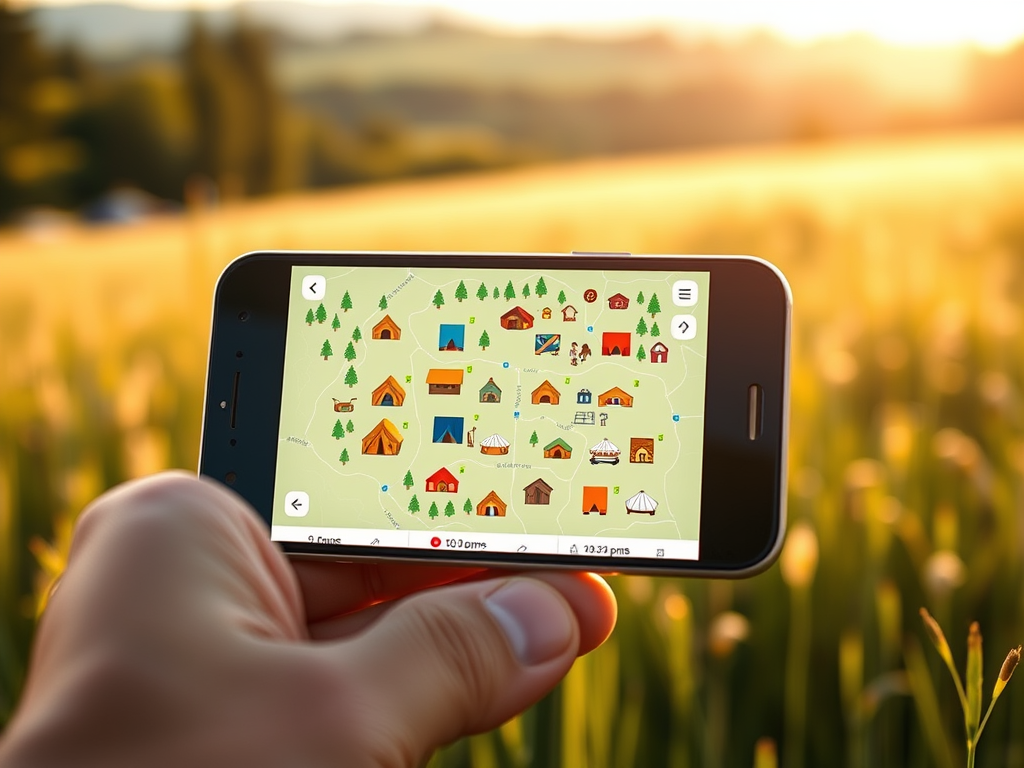
My solution: A web app that displays tents to scale on a real map.
The concept:
- Find your campsite on the map (satellite view!)
- Drag tents from a catalog onto the meadow
- The app shows the tent AND the guy rope area to scale
- Rotate, move, plan – all in real-time
- Save and share the plan with your team
The Tech Stack: Modern but Pragmatic
For a evening project, I wanted fast results:
- React + TypeScript – Type safety saves debugging time
- Vite – Fast dev setup, no Webpack config drama
- Tailwind CSS – Styling without CSS file chaos
- Leaflet + React-Leaflet – Maps with full control
- Supabase – Backend as a Service (Auth, Database, free for side projects)
Why Leaflet instead of Google Maps?
- Free (Google charges money after certain traffic)
- Multiple map layers (OpenStreetMap, Satellite, Topographic)
- More control over custom markers
Core Features
1. Tent Catalog with Real Dimensions
I’ve added the most common German scout tents with their actual measurements:
- Kohte (3m Ø, 2.5m guy rope radius)
- Yurts in 5m, 6m, 8m, 10m
- Tortuga tents (Lokomotive, Berliner, Sahara)
- Kitchen tents, storage tents
Each tent has: footprint, guy rope radius (for round tents) or separate guy rope distances for width/length (for rectangular tents), capacity, and supplier link.
2. True-to-Scale Rendering
This was the trickiest technical part. At zoom level 19, one meter on the map is about 0.3 pixels. At zoom level 21, it’s 1.2 pixels. The tents need to scale correctly at every zoom level.
function getPixelsPerMeter(lat: number, zoom: number): number { const earthCircumference = 40075016.686; const metersPerPixelAtZoom0 = earthCircumference / 256; const metersPerPixel = metersPerPixelAtZoom0 * Math.cos((lat * Math.PI) / 180) / Math.pow(2, zoom); return 1 / metersPerPixel;}
3. Rotation for Rectangular Tents
Round tents you can just place anywhere. But a 4×8 meter group tent? You need to rotate it. The slider in the sidebar rotates the tent in real-time on the map – including the correctly rotated guy rope area.
4. Distance Measurement
One click on “Show Distances” displays the spacing between all tents. Red = too close (guy rope areas overlap), Green = OK.
5. Offline-First with Cloud Sync
Projects are stored locally in the browser first. No account needed to try it out. If you want to share your plan, you can sign up and migrate the project to the cloud.
6. Share via Link
After migration, you get a share link. The team can view the plan – no account required.
What I Learned
1. Supabase is Amazing
Auth, database, row-level security, realtime – all out of the box. Perfect for side projects.
2. Leaflet > Google Maps (for this use case)
More control, free, custom markers without limits.
3. Offline-First Makes Everything More Complex
Local IDs vs. cloud UUIDs, sync conflicts, migration – if I’d thought about this more upfront, the code would be cleaner.
4. Domain Knowledge is Essential
Without my scouting experience, I’d never have known that guy rope distances on rectangular tents can differ on each side.
What’s Next?
The project is live and usable. Planned features:
- Participant Management: Who sleeps where?
- Material Checklist: What needs to come along?
- PDF Export: Print the plan for on-site use
- More Campsites: Database of known scout campsites

Conclusion
A problem to solve turned into a tool that’s actually useful. The beauty of side projects: You solve real problems you personally understand.
If you’re planning scout camps too give it a try: https://pfadfinder-zeltplaner.vercel.app/
Questions about the tech stack or implementation? Let me know!
PS: Yes, I used AI (Claude) for vibe programming. Coding with an AI is like having a colleague who never gets tired and knows every library. But the ideas and domain knowledge – that’s still on you.
Leave a Reply